




Have you ever thought about how cloud platforms can run thousands of apps on a minimal number of machines? Well, the answer is server virtualization in cloud computing. Instead of depending on a single physical server to do a single operation, virtualization divides a single server into numerous separate virtual servers. Each virtual server can run a separate OS and programs, as if it were a standalone machine.
This technology is a critical foundation of current cloud computing. It enables enterprises to save expenses, increase performance, and rapidly scale their infrastructure without constantly purchasing new gear.
In this blog, we will explore the details of server virtualization in cloud computing, how it differs from physical servers, and how enterprises use it today.
What is Server Virtualization in Cloud Computing?
Server virtualization in cloud computing is a process through which a single physical server is converted into multiple virtual servers which can be operated by different people at the same time. This is done using specialized software called a hypervisor.
Now, every virtual server, or virtual machine, has the ability to operate on its separate operating systems and run their operations smoothly.
Before virtualization became prevalent businesses typically operated one program per physical server. This meant that a significant amount of computational capacity went wasted because most servers were only operating at a fraction of their capacity. This changed with virtualization, which enabled several workloads to operate efficiently on the same hardware.
In a typical setup, the structure of server virtualization operates like this:
- Physical server (host machine) – The actual hardware with CPU, memory, and storage.
- Hypervisor – The software layer that manages and allocates resources.
- Virtual machines – Independent virtual servers created from the physical server.
Since every virtual machine operates individually, then even if one application crashes on one server, the other servers will continue to run without any interruption. This isolation improves reliability and security in cloud environments.
Types of Server Virtualization in Cloud Computing
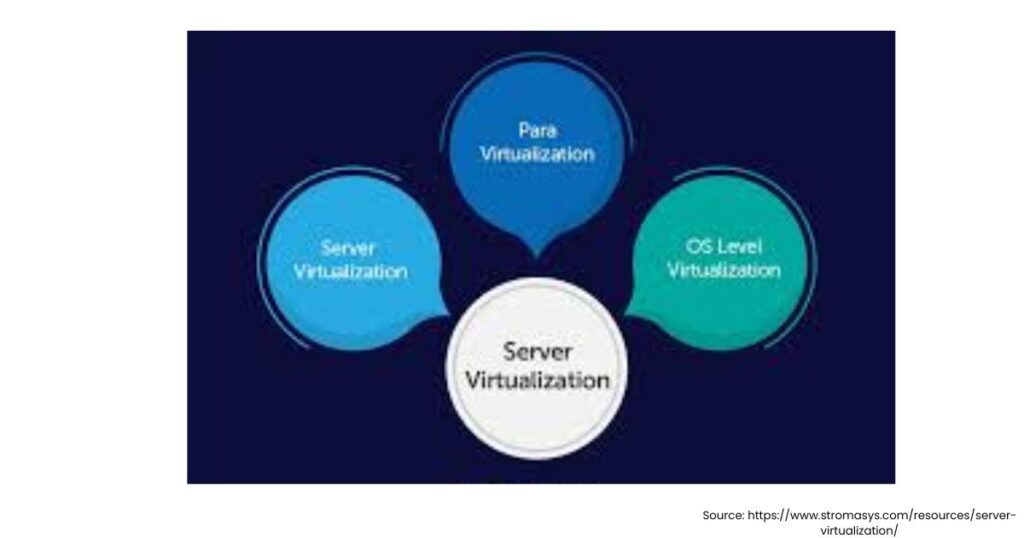
According to a detailed guide, there are several types of server virtualization in cloud computing. Each of them was designed to improve performance and resource management. Check out these different types below:
1. Full Virtualization
Full virtualization offers an integrated simulation of actual hardware. The hypervisor intercepts and handles operating system instructions, causing the system to act as if it were running on real hardware.
Example: VMware ESXi environments running multiple virtual machines.
2. Para Virtualization
Paravirtualization works slightly differently. In this method, the operating system within the virtual machine is aware that it is functioning in a virtualized environment. Because of this understanding, it communicates directly with the hypervisor rather than depending on a complete hardware emulation.
Example: Xen virtualization platform.
3. OS-Level Virtualization
OS-level virtualization does not require a hypervisor in the classic sense. Instead, the operating system controls virtualization capabilities and generates several isolated environments inside the same OS.
Example: Linux containers such as Docker.
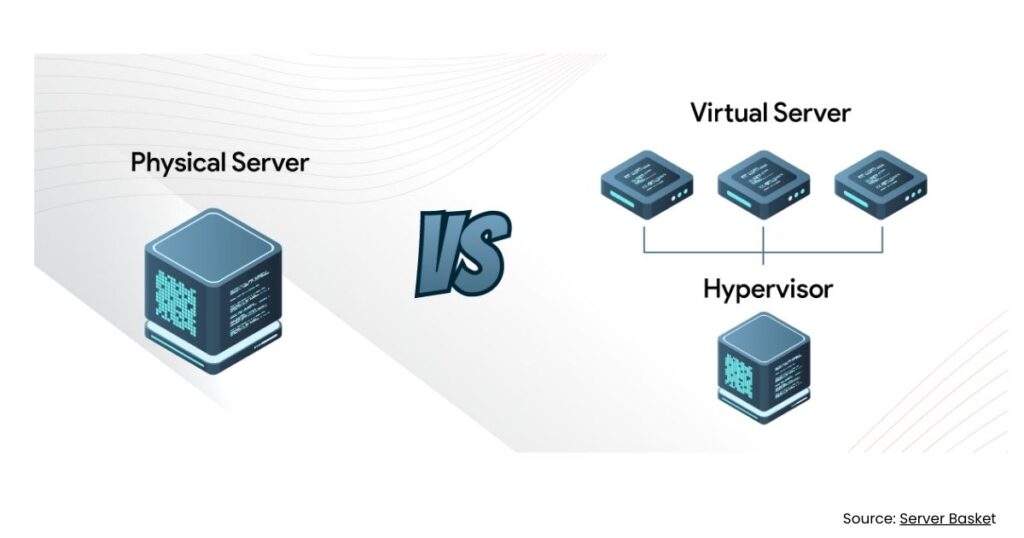
Physical Server vs Virtual Server
You must be thinking that if we had a physical server, then what was the need of server virtualization in cloud computing. But once you understand the difference between a physical server vs virtual server, you would have a clearer idea of why virtualization is widely used in modern cloud environments.
| Feature | Physical Server | Virtual Server |
| Resource usage | Often underutilized | Efficient resource sharing |
| Scalability | Requires purchasing new hardware | Can be created or removed quickly |
| Cost | Higher hardware and maintenance cost | Lower cost due to shared resources |
| Deployment time | Hours or days | Minutes |
In a conventional setup, each program may require its own set of hardware. Virtualization allows many applications to run on independent virtual machines on the same hardware, increasing efficiency.
For example, one physical server might host:
- A web server
- A database server
- An email server
- All operating independently as separate virtual machines.
Example of Server Virtualization
To get a better idea of how server virtualization in cloud computing works in real life, imagine that you are a part of the company that operates on different business applications.
Without virtualization, the company might need separate physical servers for:
- Customer relationship management (CRM) software
- Internal employee portals
- Databases
- File storage systems
This would cost a lot of money and be very time consuming. They would lead to higher power consumption and greater maintenance costs.
With server virtualization in cloud computing, the company can install a hypervisor on a single powerful server and create multiple virtual machines. Each VM runs a different application or service.
For instance:
VM 1: Linux web server hosting the company website
VM 2: Windows database server storing customer data
VM 3: Application server running internal tools
These systems appear to be separate, but they all run on the same physical components.
This strategy not only lowers hardware costs, but also facilitates scaling. If the organization requires an additional server, it may generate a new virtual machine in minutes rather than purchasing new hardware.
Advantages of Server Virtualization in Cloud Computing
Modern cloud providers rely heavily on server virtualization in cloud computing because it enables flexibility and efficient resource allocation. Many of the benefits of cloud computing, such as scalability and cost efficiency, are made possible because of virtualization technology.
Some of the biggest advantages include:
- Better Resource Utilization
- Faster Scalability
- Improved Disaster Recovery
- Cost Reduction
The Bottom Line
Server virtualization has transformed how current IT infrastructure operates. Organizations can execute applications more efficiently and scalably by separating a single physical server into many virtual environments.
Mastering server virtualization in cloud computing is an essential skill for anyone who is intrigued by cloud technology, DevOps, or infrastructure. As cloud use grows, virtualization is a key technology driving data centers and cloud platforms around the world.
What is server virtualization in cloud computing?
Server virtualization in cloud computing is the process of dividing a physical server into multiple virtual servers using a hypervisor. Each virtual server can run its own operating system and applications independently.
2. Why is server virtualization important in cloud computing?
Server virtualization improves resource utilization, reduces hardware costs, increases scalability, and allows organizations to run multiple applications on a single physical server efficiently.
What are the main types of server virtualization?
The main types of server virtualization include full virtualization, para virtualization, and OS-level virtualization. Each type differs in how the operating system interacts with the hypervisor and hardware resources.
4. What is the difference between a physical server and a virtual server?
A physical server is a dedicated hardware machine, while a virtual server is a software-based environment created within a physical server. Virtual servers share hardware resources and can be created or removed quickly.
5. Can multiple virtual servers run on one physical server?
Yes. One physical server can host multiple virtual machines using virtualization software. Each virtual machine operates independently and can run different operating systems or applications.